Skip to content
IOFM Spring
IOFM Fall
IOFM
Become a Member
Get Certified
IOFM Spring
IOFM Fall
IOFM
Become a Member
Get Certified
May 11-13, 2026 | Loews Sapphire Falls Resort | Universal Orlando, FL
For Attendees
Why Attend
Conference FAQs
Pricing
Hotel
2026 Exhibitors
Conference
Agenda
Why Get Certified?
Workshops & Certifications
Networking
Peer Roundtables
Knowledge Hub Schedule
Speakers
For Exhibitors & Sponsors
About Us
Meet the Team
Sustainability
Code of Conduct
Contact Us
For Attendees
Why Attend
Conference FAQs
Pricing
Hotel
2026 Exhibitors
Conference
Agenda
Why Get Certified?
Workshops & Certifications
Networking
Peer Roundtables
Knowledge Hub Schedule
Speakers
For Exhibitors & Sponsors
About Us
Meet the Team
Sustainability
Code of Conduct
Contact Us
Search
Register Now
Speaker Portal Instructions
Speaker Resource Center
Speaker Portal Instructions
Breakout Sessions & Workshops
For Sponsored Presentations
Roundtables
CPE Credit Information
Hamburger Toggle Menu
Looking forward to utilizing your Speaker / Sponsor Portal? Find useful instructions below!
Click Here to get to your personalized portal:
Click here
Updating your Session Details & Speaker Information
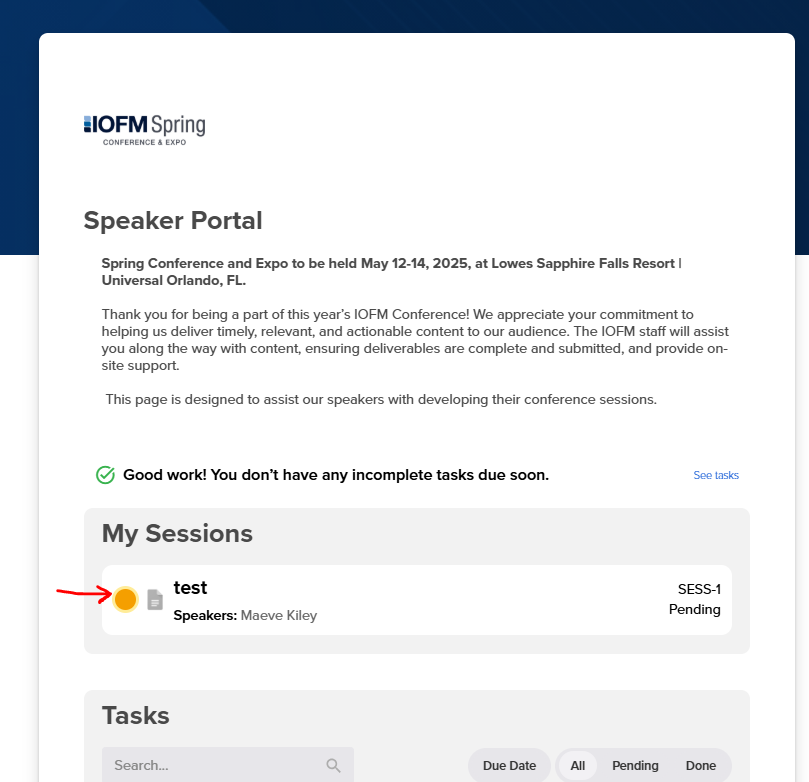
First start by clicking on the session you would like to update under “My Sessions “
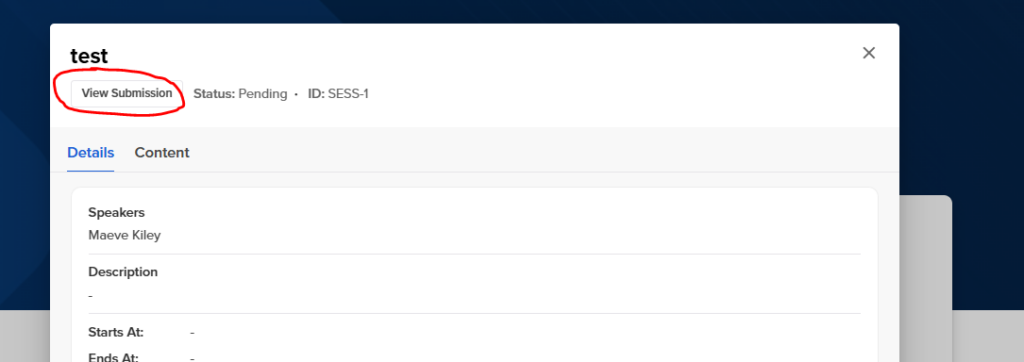
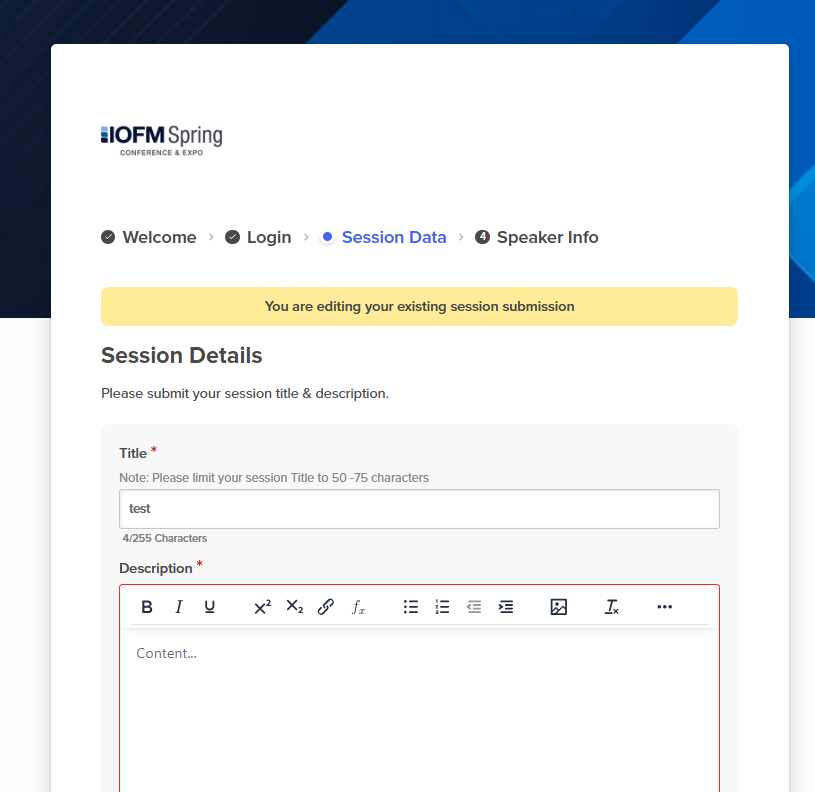
From there, click “View Submission” and provide the requested session and speaker information.
Once this information is updated, it will automatically feed to the website and event mobile app.
Uploading Session Materials
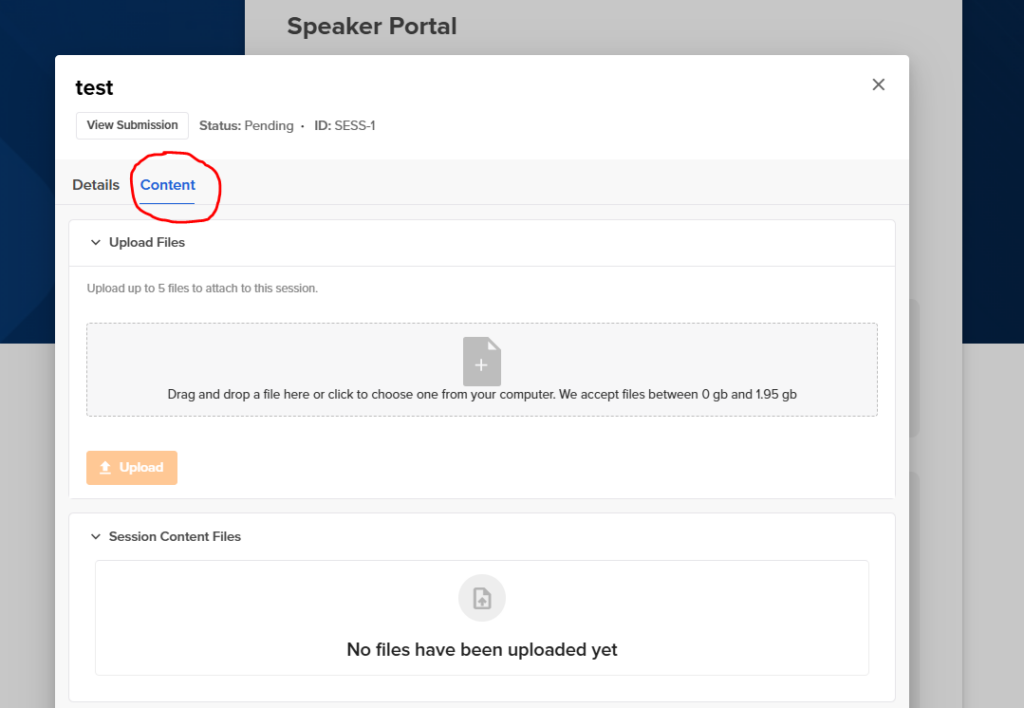
First start by clicking on the session you would like to upload content for under “My Sessions “
Within the pop-up window, navigate to the ‘Content’ tab and add your files
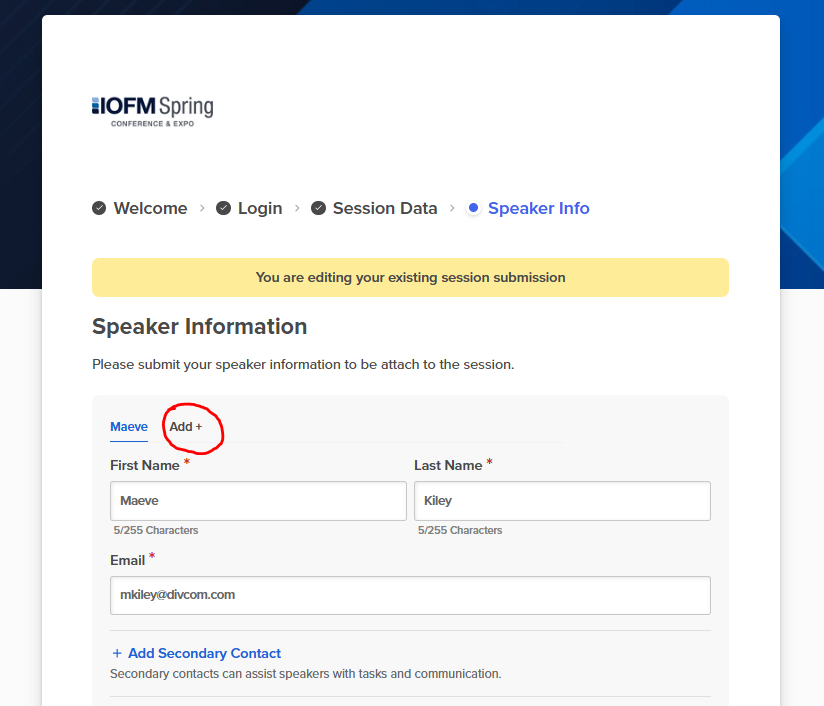
For Uploading Session Speaker and Sessions with Multiple Speakers
Please be sure to submit all speakers that will be speaking during your session
Once a speaker is tagged to your session, they will automatically be pulled to the website and mobile app.
Check out these Portal Users FAQ
Click here